How do I fix an external handle of a SDL-S1 that has lost resistance

- Take the lock off the door
- Take off the screw behind the batteries and at the bottom of the inside panel
- Unplug the cable carefully
- Make sure not to pull it out with force, this may break the socket. Please note if the socket breaks, you will need to replacement back panel.
- Instead gently wiggle the plug while pulling it out.
- Make sure not to pull it out with force, this may break the socket. Please note if the socket breaks, you will need to replacement back panel.
- Instead gently wiggle the plug while pulling it out.
2. Remove the back plate of the external panel
- Unscrew the six screw on the back plate
3. Use an Allan key to remove the screw which is inside the spindle hole.
- Make sure you hold on to the handle while do this to sure it doesn't drop and get damaged.
4. Gently pull the clutch out
5. Behind the clutch is the black tension ring. If doesn't look like this picture, you need to put it back. Or if it has been overstretched you can replace it with the new replacement part.
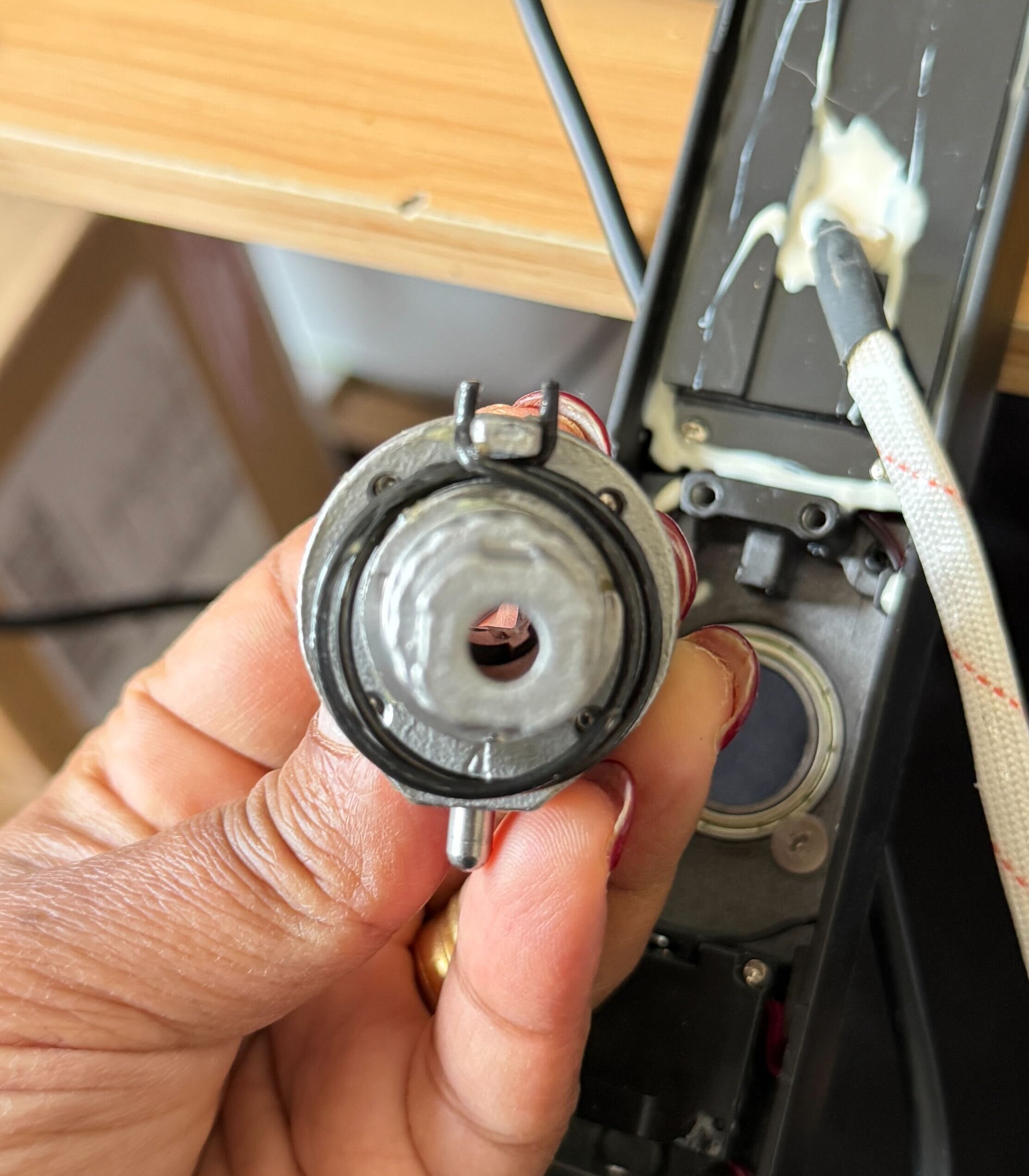
6. Put the clutch back in place and screw the handle back to the lock
7. Put the back plate back and tighten the six screws
8. Connect the cable and put the lock back on the door